
Hospital inventory management software
In a hospital, a stock-out isn’t an inconvenience, and expired stock is money thrown away. HEAL Inventory tracks medicines, consumables and supplies from purchase order to department, so you always know:
- What you hold, in every department, warehouse and storage location
- What is running low
- What is close to expiry
Built for: hospitals with several departments, warehouses or storage locations, purchase and stores teams, and pharmacy, lab and radiology heads.
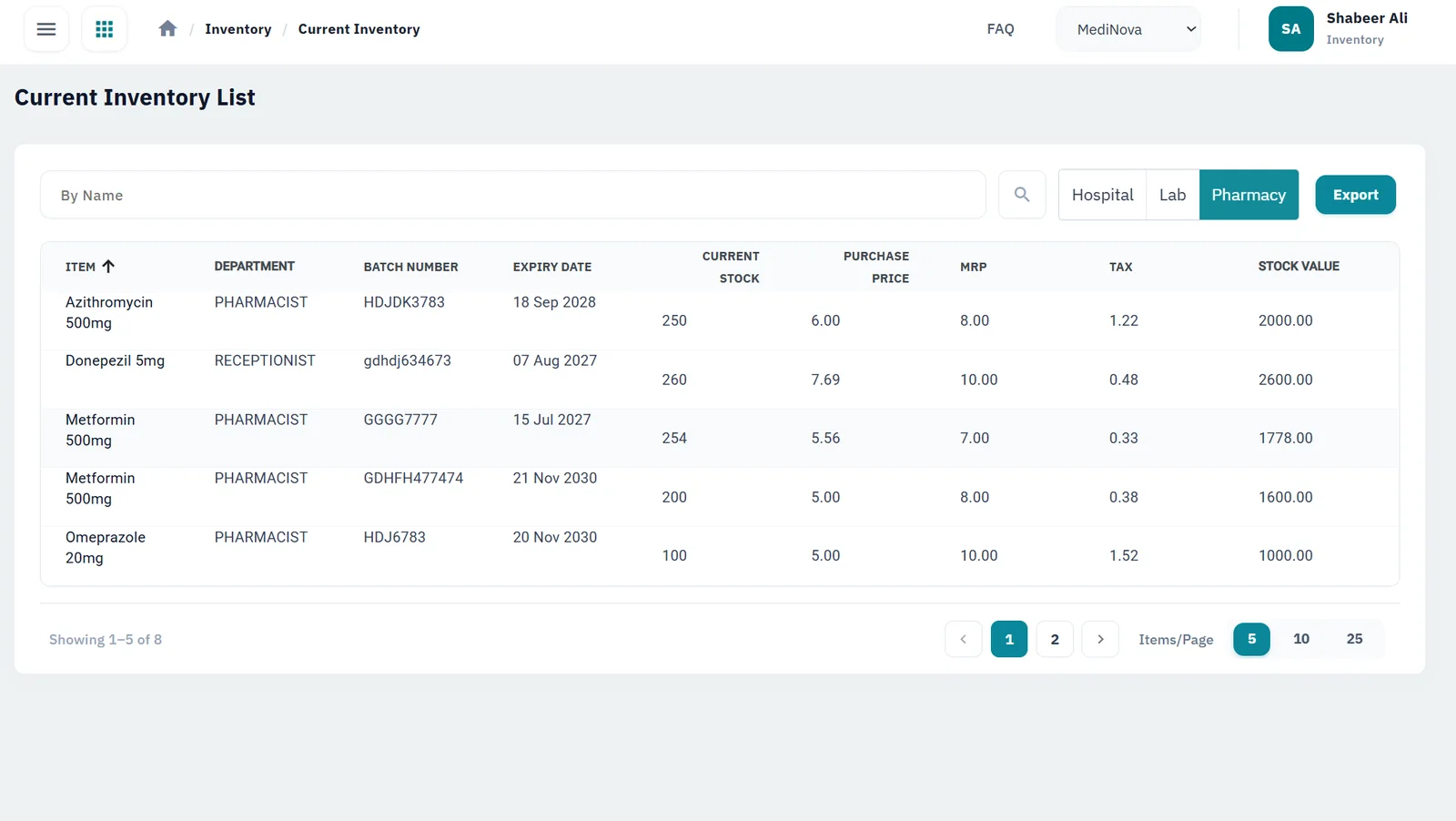
Know what’s on every shelf
Live stock levels
Stock updates across every department, warehouse and storage location as items come in and go out, with quantity monitoring that flags low stock early.
Receipts, issues and reconciliation
Record every receipt and issue, move stock between stores and departments, and reconcile physical counts with system stock on a simple screen, correcting any difference as you go.
Purchase orders and GRNs
Raise purchase orders, then record each delivery against its order with a goods receipt note.
GST-ready pricing
Set product prices, HSN codes and CGST, SGST and IGST rates once, and every invoice carries the right tax.
Barcodes for every product
Generate barcodes for faster receipt, issue and billing, including for items that arrive without one.
Expiry alerts in time to act
Track expiry dates and get alerts while there is still time to use or return the stock.
See it in HEAL
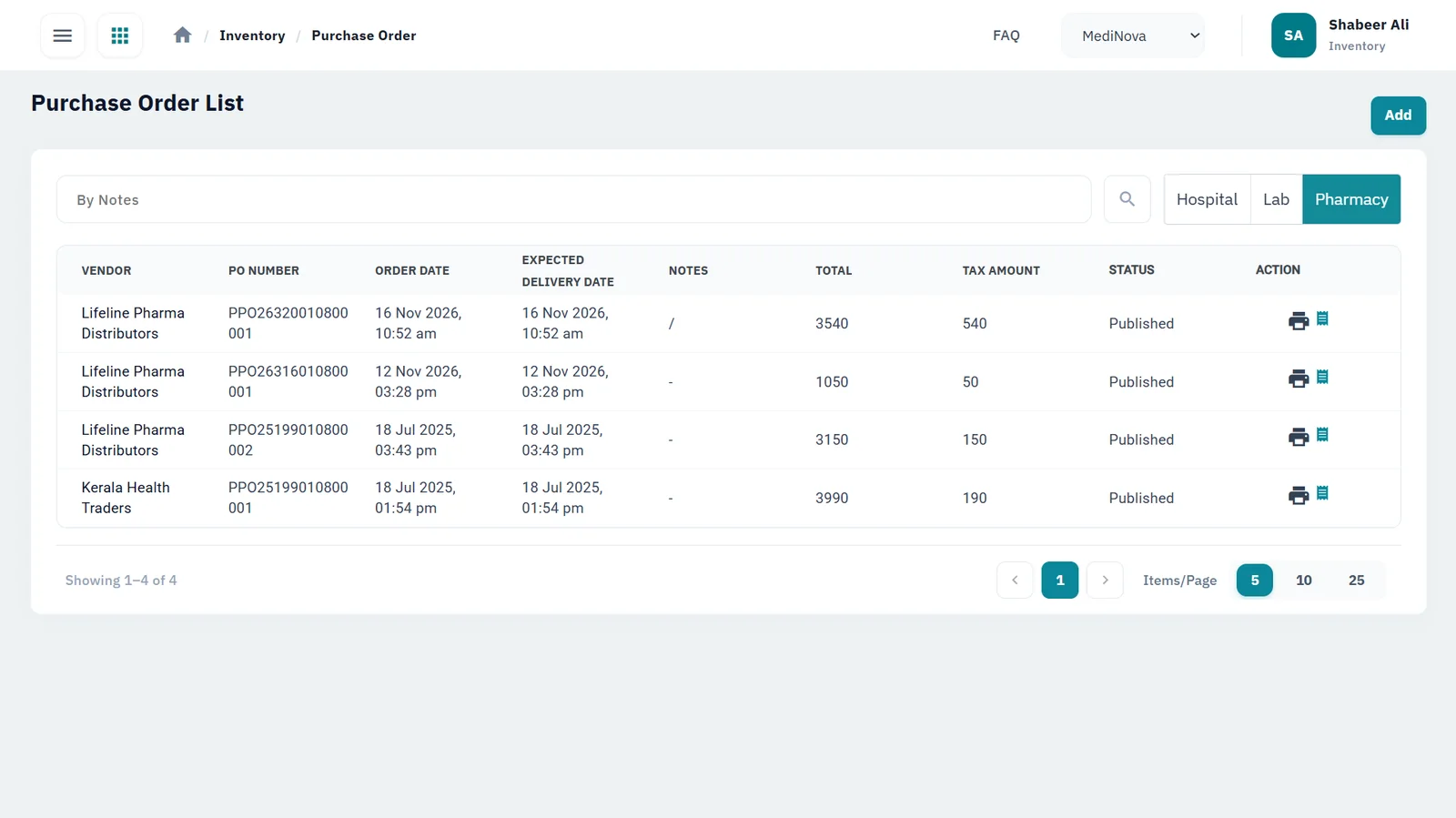
Purchase orders
Vendor, PO number, expected delivery, tax and status in one list.
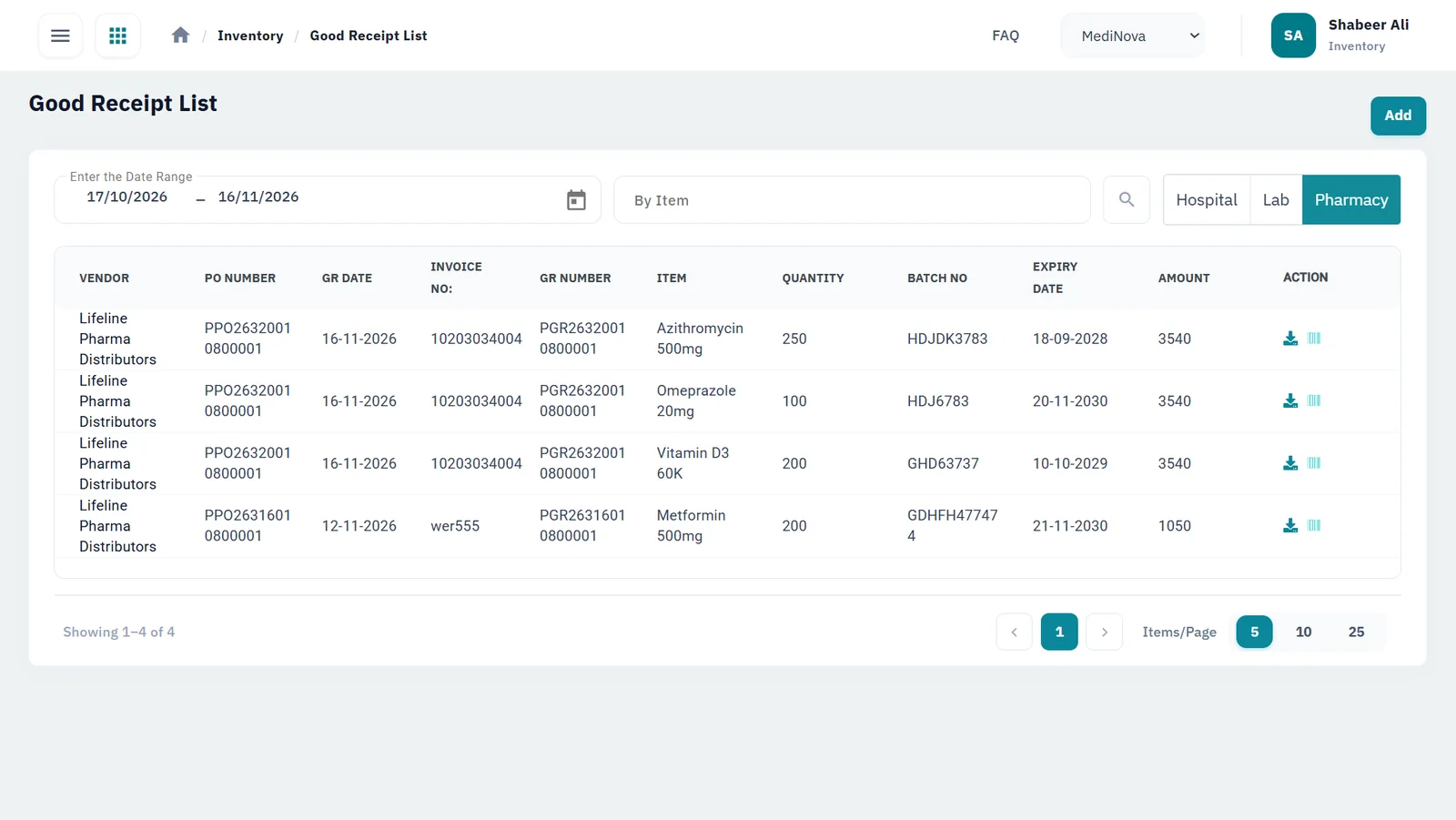
Goods receipt notes
Each delivery recorded with batch numbers and expiry dates, with barcodes generated.
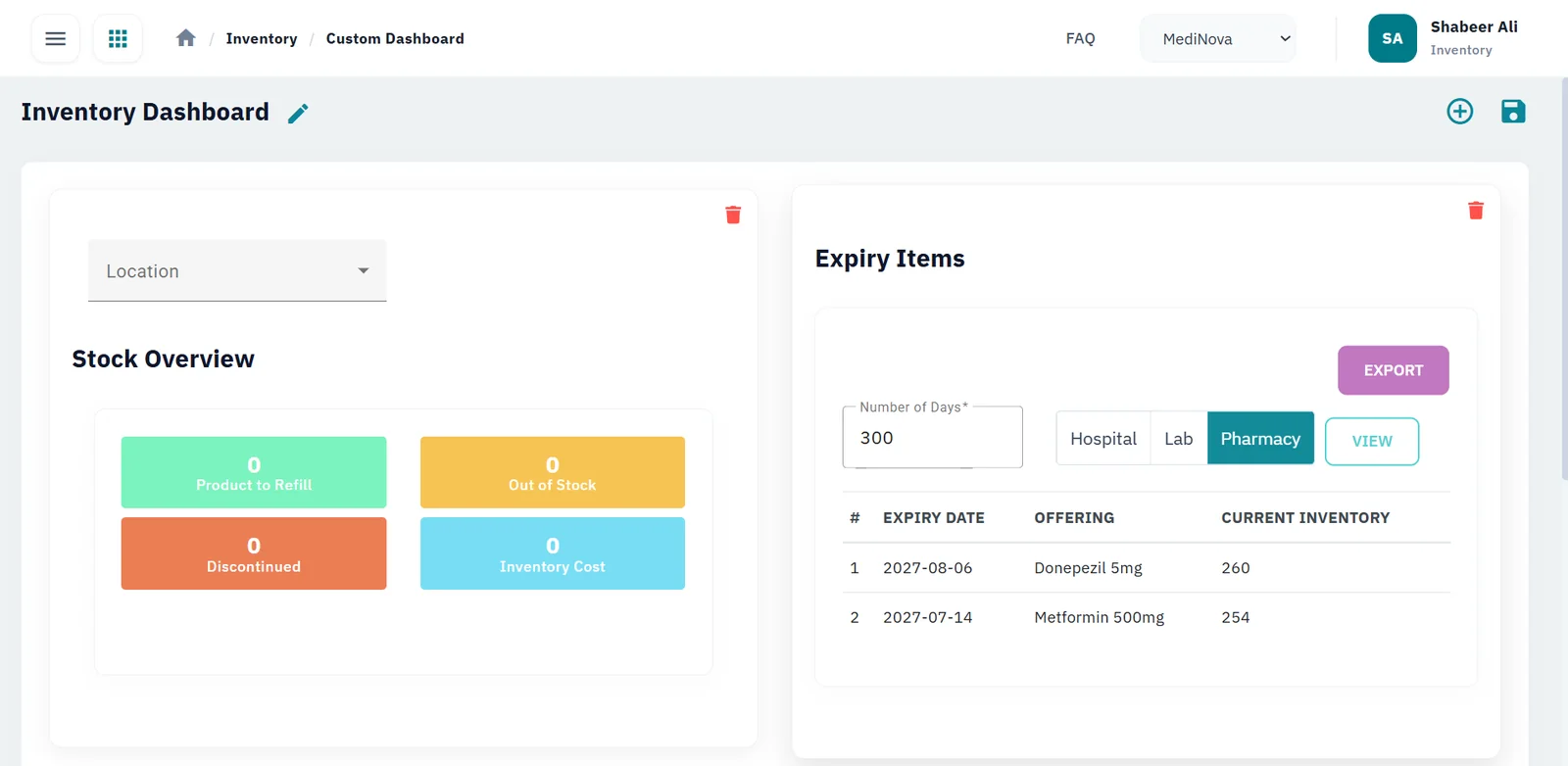
Stock overview and expiry
A dashboard of stock status and items nearing expiry.
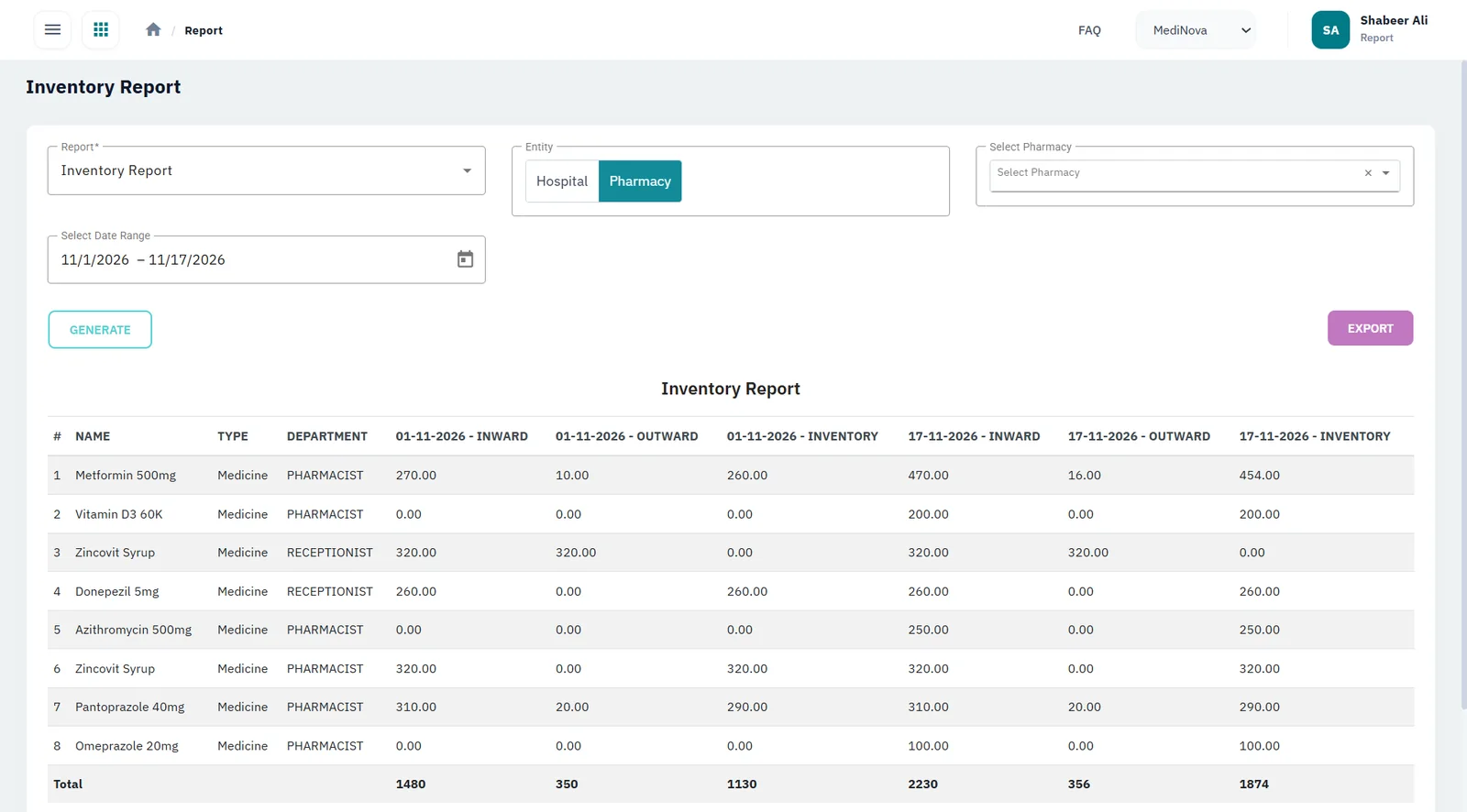
Inventory reports
Inward, outward and closing stock by item over any period.
The HEAL inventory cycle
Select a step to see what happens
1. Purchase order
Create and manage purchase orders for medicines, consumables and supplies.
- PO creation
- PO tracking
2. Goods receipt
Deliveries are recorded against the purchase order with a goods receipt note, and barcodes are generated for new products.
- GRN
- Barcode generation
3. In stock
Stock is visible in real time across departments, warehouses and storage locations, with prices, HSN codes and GST configured once.
- Real-time stock
- Multiple locations
- GST-ready pricing
4. Issue & reconcile
Stock goes out to pharmacy, laboratory, radiology and wards, and moves between stores. Reconcile physical counts with system stock on a simple screen and correct any difference.
- Stock outward
- Transfers
- Stock reconciliation
5. Alerts & reports
Quantity monitoring and expiry tracking raise alerts in time, and reports show what is moving and what is idle.
- Low-stock alerts
- Expiry alerts
- Reports & analytics
Up and running without retyping your catalogue
- Import your existing product list from Excel in bulk, instead of entering items one by one
- Once stock is live, inventory reports show what is moving, what is sitting idle and where money is tied up
What changes for your team
Stores and purchase teams
Raise POs, record GRNs and reconcile stock counts in one place, with no separate spreadsheet.
Pharmacy, lab and radiology heads
See their own stock and get alerts before they run out.
Finance
Gets consistent prices and GST on every invoice.
Management
Sees stock value, movement and expiry risk in reports.
Questions buyers ask
Can we import our existing item master?
Yes. Products can be imported in bulk from an Excel file.
Does it handle purchase orders and goods receipt?
Yes. You create and manage purchase orders and record deliveries against them with goods receipt notes (GRNs).
Does HEAL Inventory support GST?
Yes. You set HSN codes and CGST, SGST and IGST rates for your products, and invoices apply the right tax.
Will we be warned before stock expires?
Yes. HEAL tracks expiry dates and sends product expiry alerts, alongside low-stock alerts.
Can we move stock between stores and departments?
Yes. Stock transfers and adjustments are recorded, so each store’s count stays accurate.
How do we reconcile physical stock with the system?
HEAL has an easy-to-use stock reconciliation screen. Enter your physical count, see where it differs from system stock, and correct the difference with a stock adjustment.
Can it handle multiple departments and warehouses?
Yes. HEAL Inventory works across multiple departments, warehouses and storage locations, including pharmacy, laboratory, radiology and wards, so stock is managed in one system rather than one spreadsheet per location.
How is it priced?
By the modules you choose, the number of sites, integrations, and any data migration and training. Book a demo and we’ll prepare a quote.
Connected HEAL modules
Pharmacy
e-Prescriptions from your doctors, counter billing and barcoded stock with alerts.
Learn moreLaboratory
Barcoded samples, analyser integration and approved reports sent to the patient app and ABHA.
Learn moreRadiology
Imaging requests in one queue, PACS and DICOM integration, and outsourced scans tracked.
Learn moreHospital management
Admissions, wards, billing and discharge on one patient record.
Learn morePricing
How HEAL is priced: by modules, doctors and sites, integrations, migration and training.
Learn moreSecurity & compliance
How HEAL protects patient data: ISO/IEC 27001:2022 and ABDM consent.
Learn moreSee HEAL in action
Book a walkthrough with our team and bring your questions on setup, integrations and data security.
