
Radiology management software
Imaging requests arrive from the OPD, the wards, walk-ins and partner centres. HEAL Radiology puts them all in one queue with your own prices, so the department knows:
- What is booked
- What is outsourced
- What each patient has been told
Built for: hospital radiology departments and imaging centres.
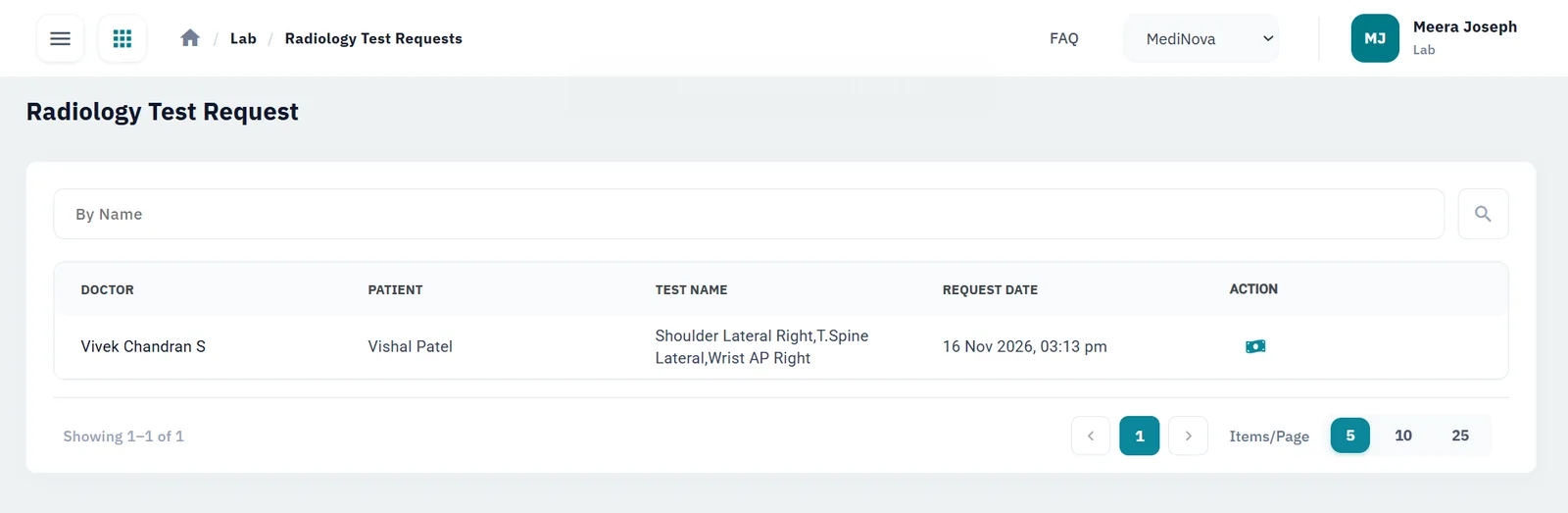
One queue for every imaging request
Requests from doctors and walk-ins
Doctors request imaging from the consultation with the patient’s details attached, and walk-ins are registered at the front desk.
PACS and DICOM integration
HEAL integrates with your PACS through DICOM, so your imaging systems and the patient’s HEAL record work together instead of side by side.
Your tests, your prices
Set up the X-ray, ultrasound, CT, MRI and other tests you offer, and the price of each.
Outsourced scans tracked
Send tests you don’t perform in-house to a partner centre and keep track of them in HEAL.
Results by email, updates by SMS
Imaging results are emailed to the doctor and the patient, and patients get SMS updates, so the front desk takes fewer follow-up calls.
Contrast and films in stock
Track contrast agents, films and other consumables so the department doesn’t run short mid-list.
See it in HEAL
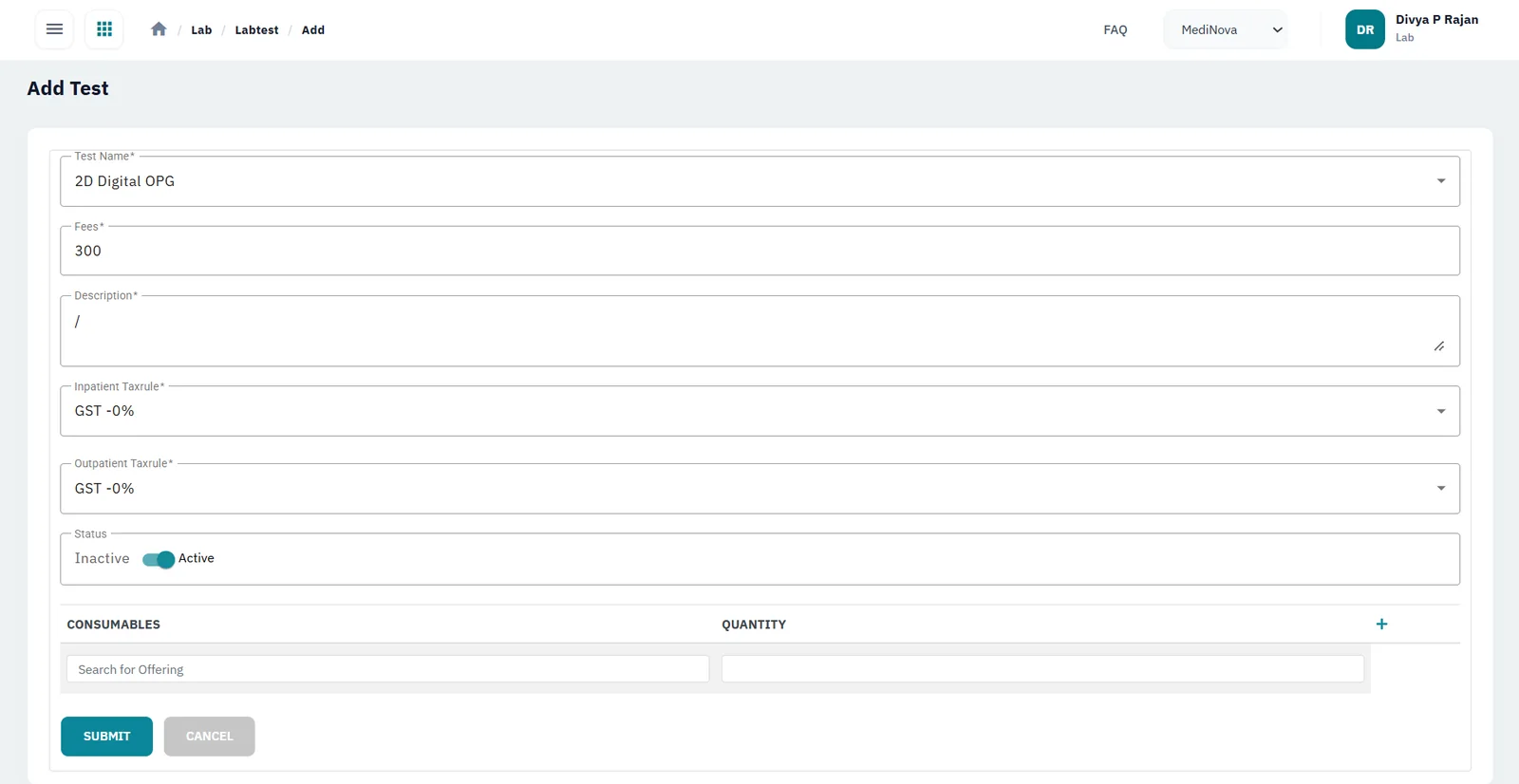
Your tests and prices
Set up each imaging test with its fee and GST.
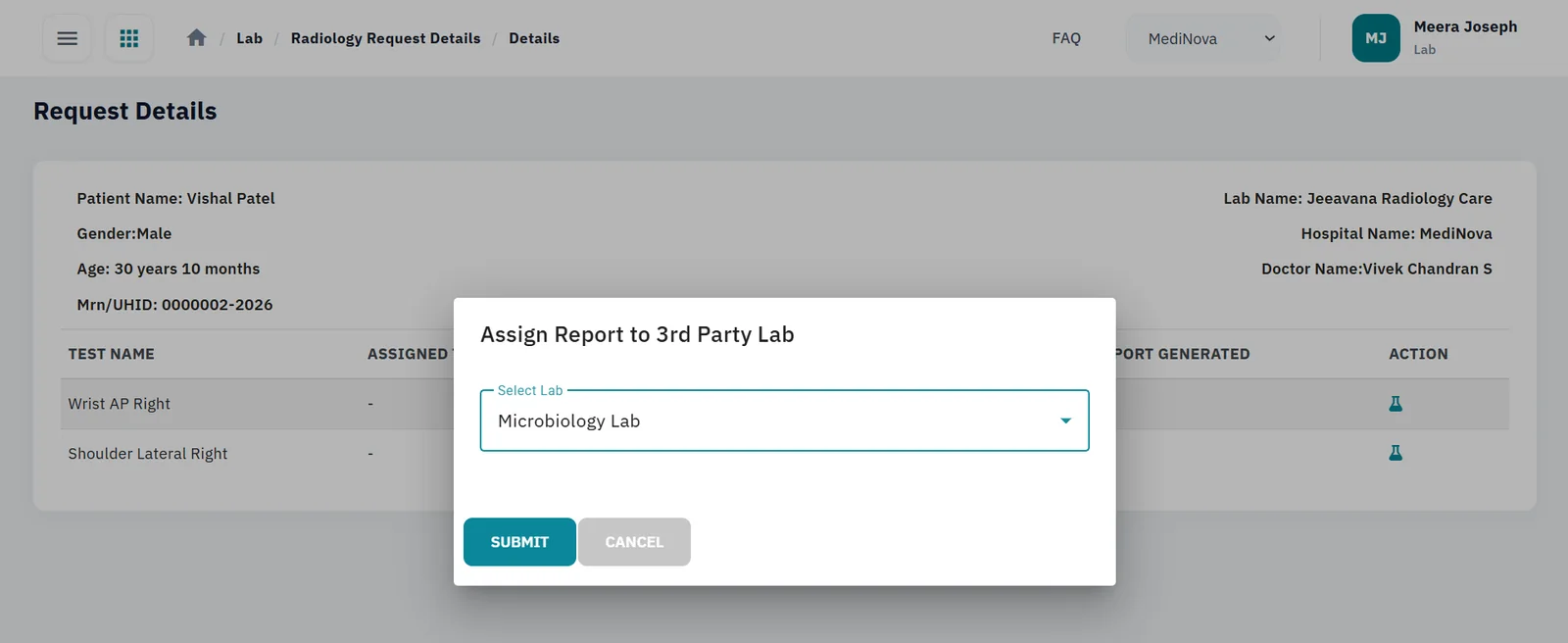
Outsource to a partner centre
Assign tests you don’t perform in-house to a partner centre.
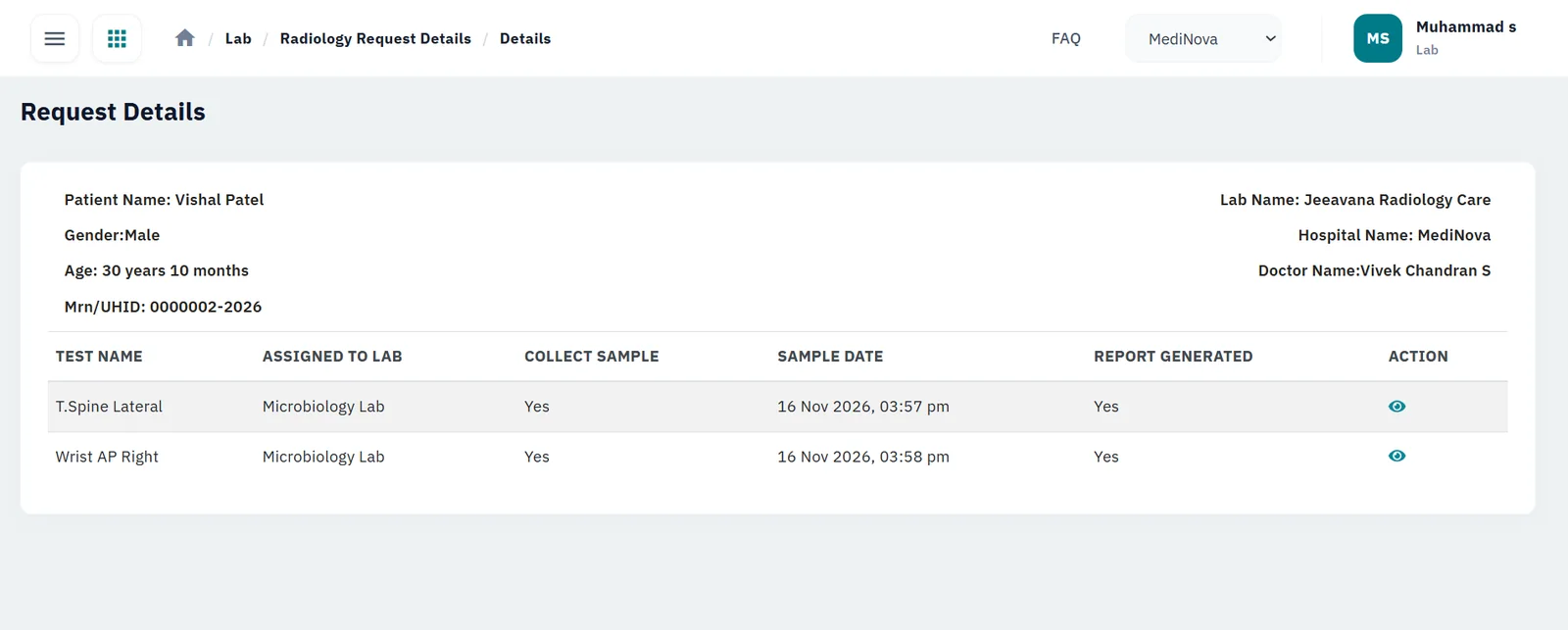
Track outsourced tests
See where each outsourced test is and when its report was generated.
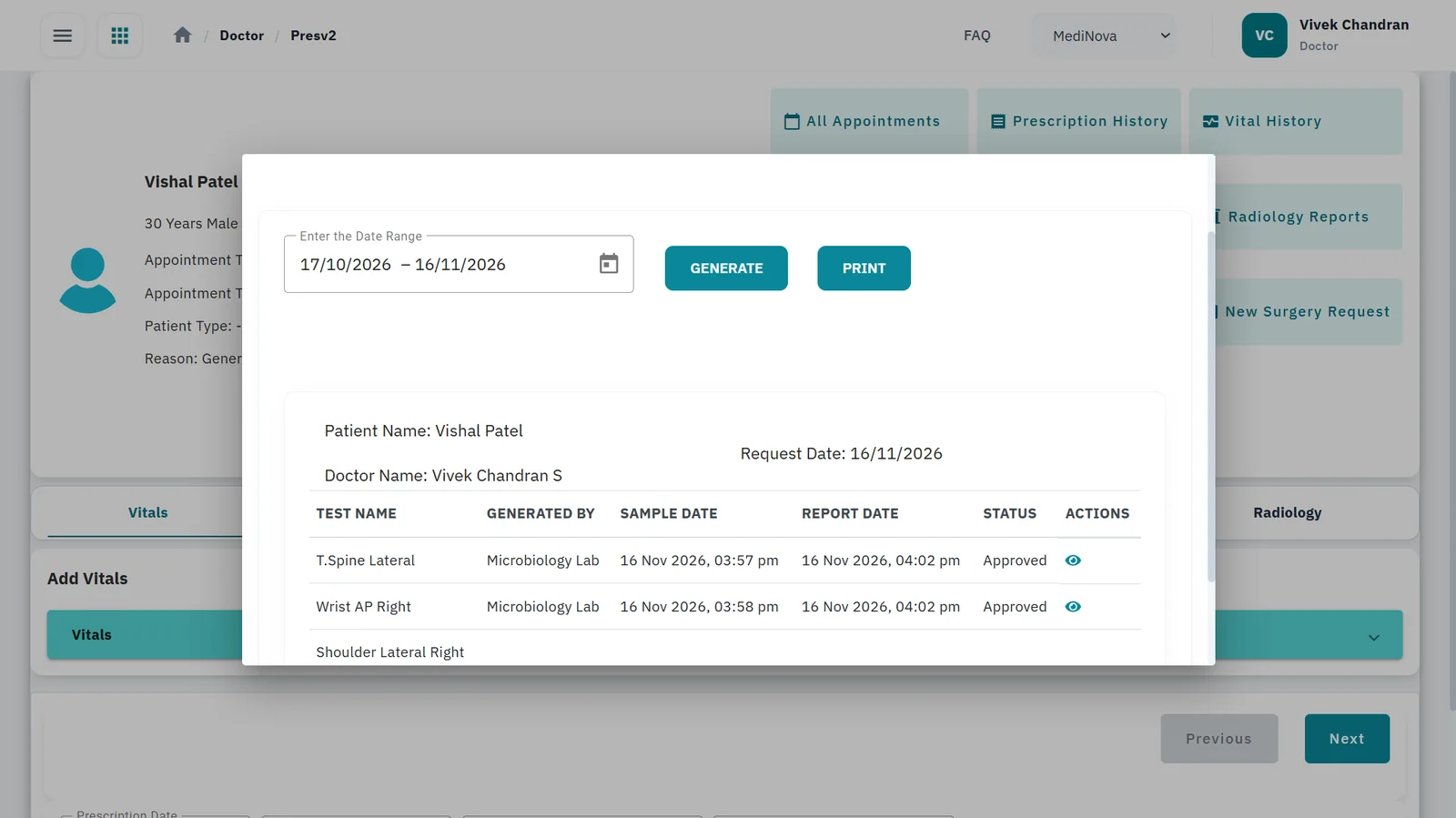
Reports on the patient record
Referring doctors see approved imaging reports in the doctor workspace.
How an imaging request is handled
Select a step to see what happens
1. Request
Doctors send imaging requests from the consultation with the patient's details attached. Walk-in patients are registered at the counter.
- Doctor referral
- Walk-in at the counter
2. Billing
Each request is priced from the imaging tests and price list your department set up in HEAL.
- Your own test list
- Your own prices
3. Perform or outsource
Tests you perform are handled by your department. Tests you don't perform in-house are outsourced to a partner centre and tracked in HEAL.
- In-house
- Outsourced
4. Results sent
Imaging results are emailed to the doctor and the patient, and patients receive SMS updates on their tests.
- Email to doctor
- Email to patient
- SMS updates
5. Doctor workspace
HEAL integrates with your PACS through DICOM, and the imaging report sits on the patient's record next to lab results, prescriptions and vitals in the doctor workspace.
- PACS integration
- DICOM
- Shared patient record
What changes for your team
Radiology front desk
Handles doctor referrals and walk-ins from one queue.
The radiology manager
Sees which tests are in-house and which are outsourced.
Referring doctors
Find imaging reports on the patient’s record, next to lab results and prescriptions.
Patients
Know where their test stands without calling.
Questions buyers ask
Can we outsource some tests and still track them?
Yes. Tests you don’t perform in-house can be outsourced to a partner centre and tracked in HEAL.
Do referring doctors see the imaging report?
Yes. Radiology reports appear in the doctor workspace with the rest of the patient’s record.
Can we set our own test list and prices?
Yes. You set up the imaging tests you offer and the price of each.
Does HEAL work with our PACS?
Yes. HEAL Radiology integrates with PACS and DICOM, alongside managing requests, billing, outsourcing and patient updates. Bring your PACS details to the demo and we’ll walk through the set-up.
How is it priced?
By the modules you choose, the number of sites, integrations, and any data migration and training. Book a demo and we’ll prepare a quote.
Connected HEAL modules
Laboratory
Barcoded samples, analyser integration and approved reports sent to the patient app and ABHA.
Learn moreClinic EMR
The doctor workspace: history, diagnosis, e-prescriptions and orders.
Learn moreIntegrations
ABDM (M1, M2, M3) and connections to the systems you already run.
Learn moreInventory
GST-ready pricing, POs, GRNs, barcodes and expiry alerts across departments and warehouses.
Learn morePricing
How HEAL is priced: by modules, doctors and sites, integrations, migration and training.
Learn moreSecurity & compliance
How HEAL protects patient data: ISO/IEC 27001:2022 and ABDM consent.
Learn moreABDM incentive (DHIS)
Imaging centres earn ₹10 for each Diagnostic Report linked to a patient’s KYC-verified ABHA, above 100 a month, under the current DHIS rules (from 1 October 2026).
See HEAL in action
Book a walkthrough with our team and bring your questions on setup, integrations and data security.
