
Laboratory management software
A lab’s day is lost to small things. HEAL Laboratory takes them off your team’s hands:
- Requests arrive typed from the consultation, not handwritten
- Results are read from your analysers, not retyped
- Approved reports go to the doctor, the patient on WhatsApp, the patient app and their ABHA record, so nobody phones to say they’re ready
Built for: hospital laboratories, standalone pathology labs and diagnostic centres.
From sample to signed-off report
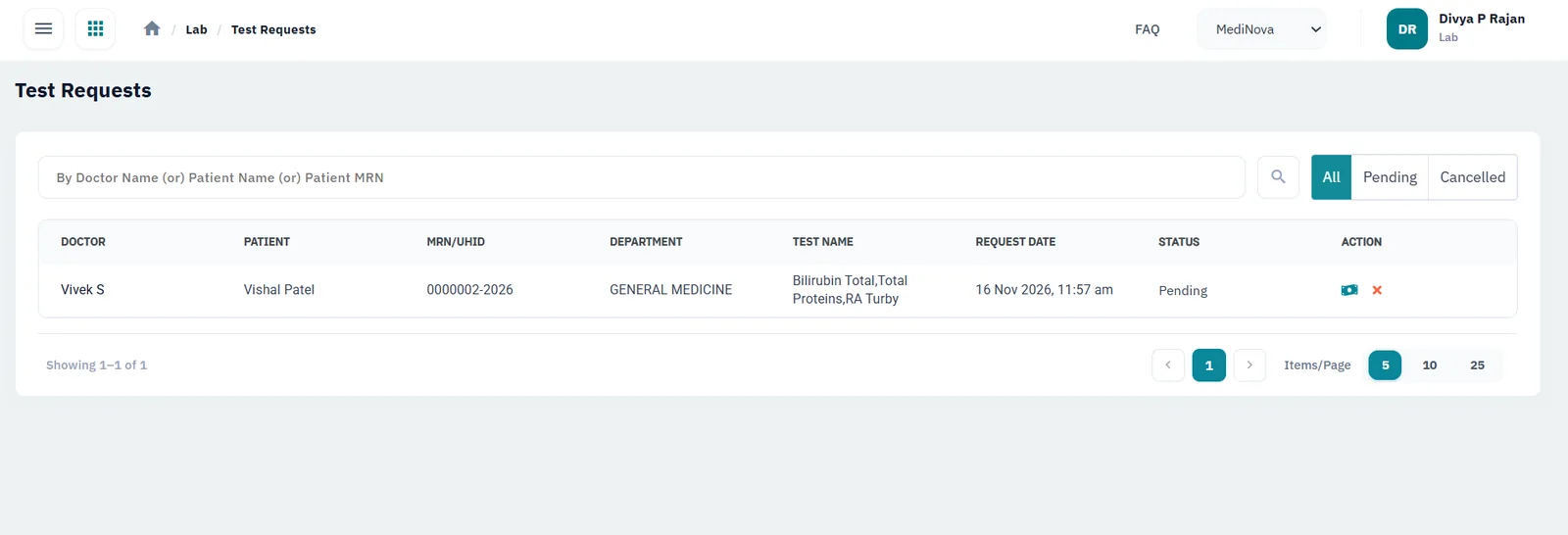
Requests from doctors and walk-ins
Doctors send requests from the consultation to the lab. Walk-ins are registered and billed at the counter from your own test menu and prices.
A barcode on every sample
Each sample is labelled at collection, so it stays matched to the right patient and test from the counter to the bench.
Results straight from your analysers
HEAL connects to your laboratory analysers, so results reach the report without anyone typing them in again.
Reference ranges that fit the patient
Each test has its own parameters with normal, borderline and high ranges, set for everyone or by age and gender.
Nothing leaves without sign-off
Turn on approval and every report is approved or rejected by a pathologist first. A rejected report goes back for a redo or a fresh sample.
Reports where people will see them
Approved reports appear in the HEAL patient app straight away and are sent to the patient on WhatsApp and by email, with an SMS to say they’re ready. Doctors get them by email too.
See it in HEAL
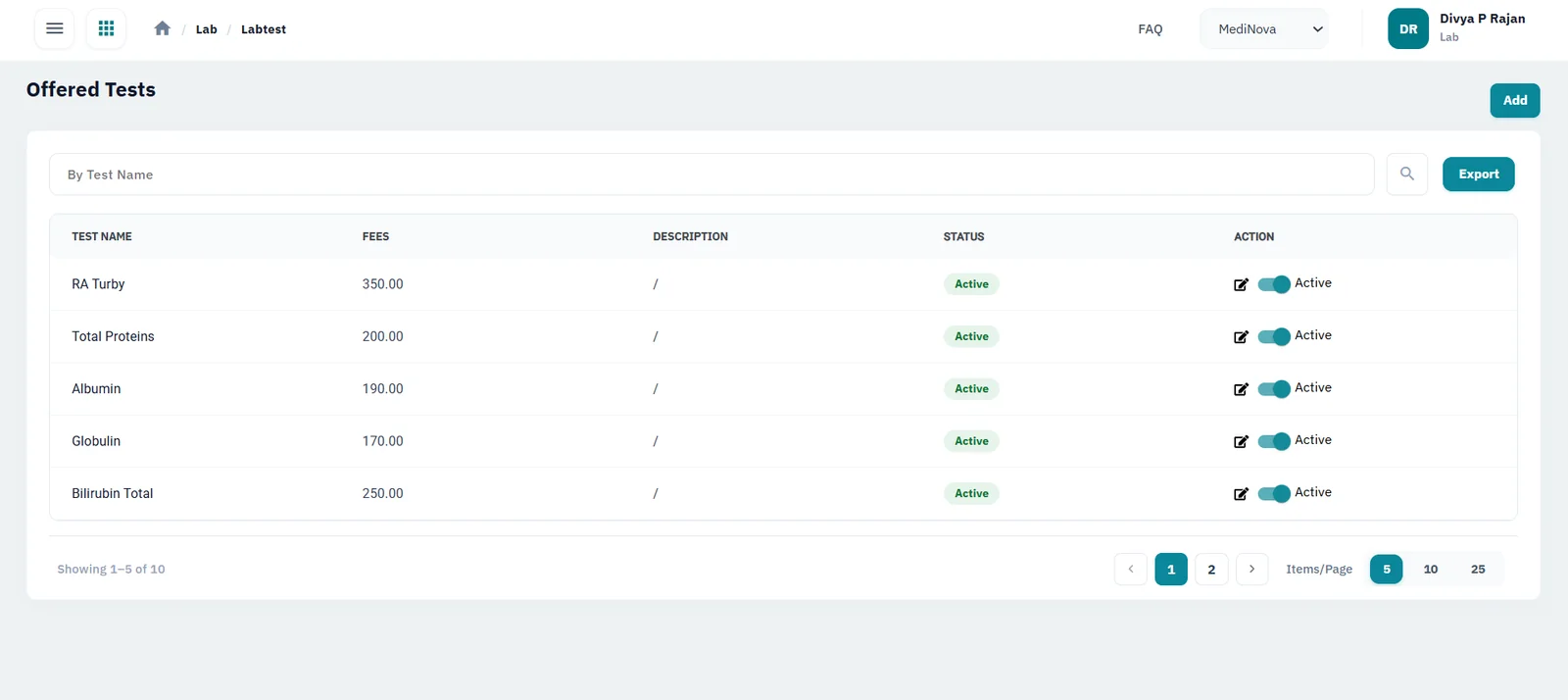
Your test menu and prices
Every test you offer, with its fee and status.
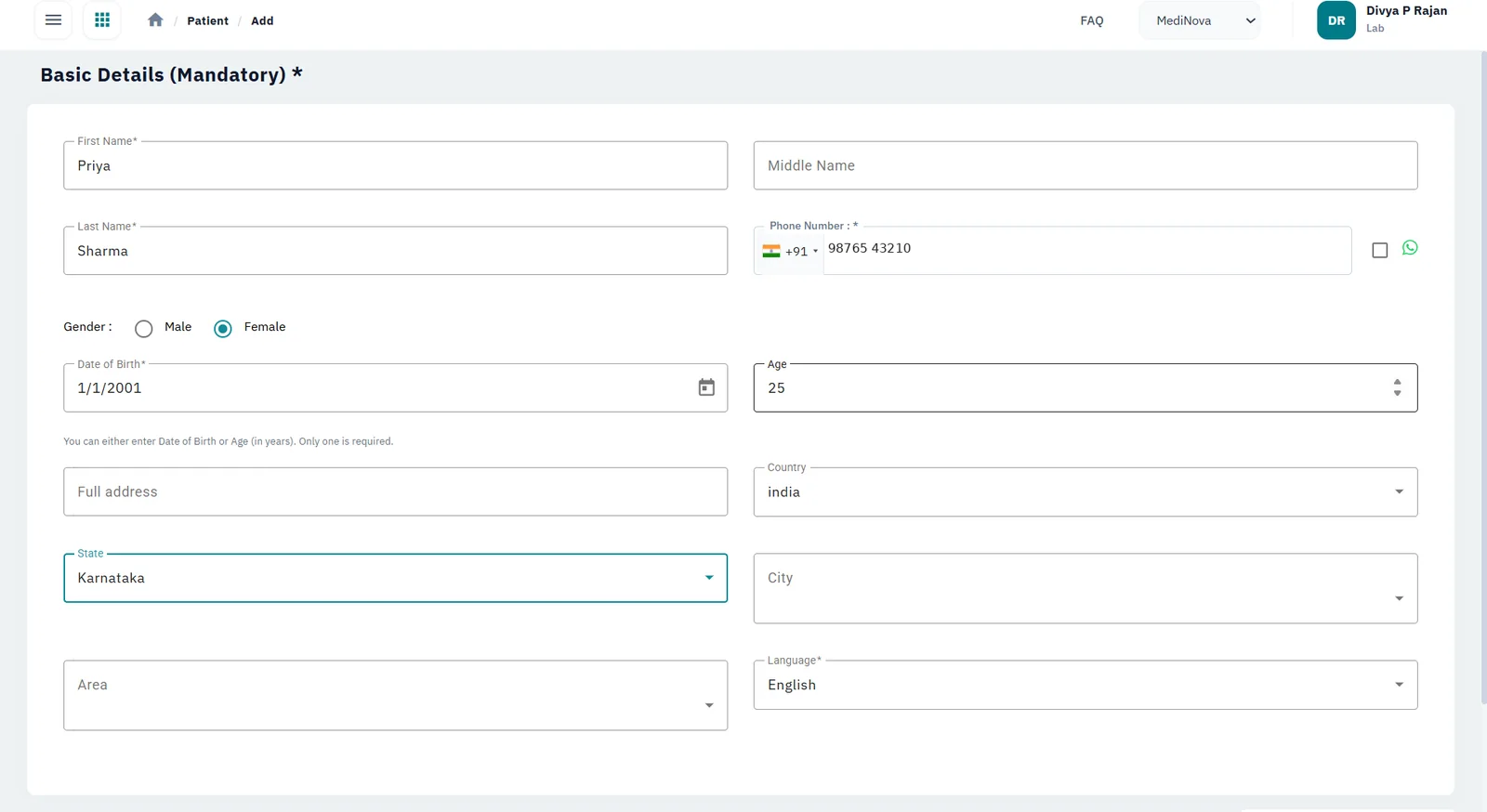
Walk-in registration
Register walk-in patients at the counter, with WhatsApp on the phone number.
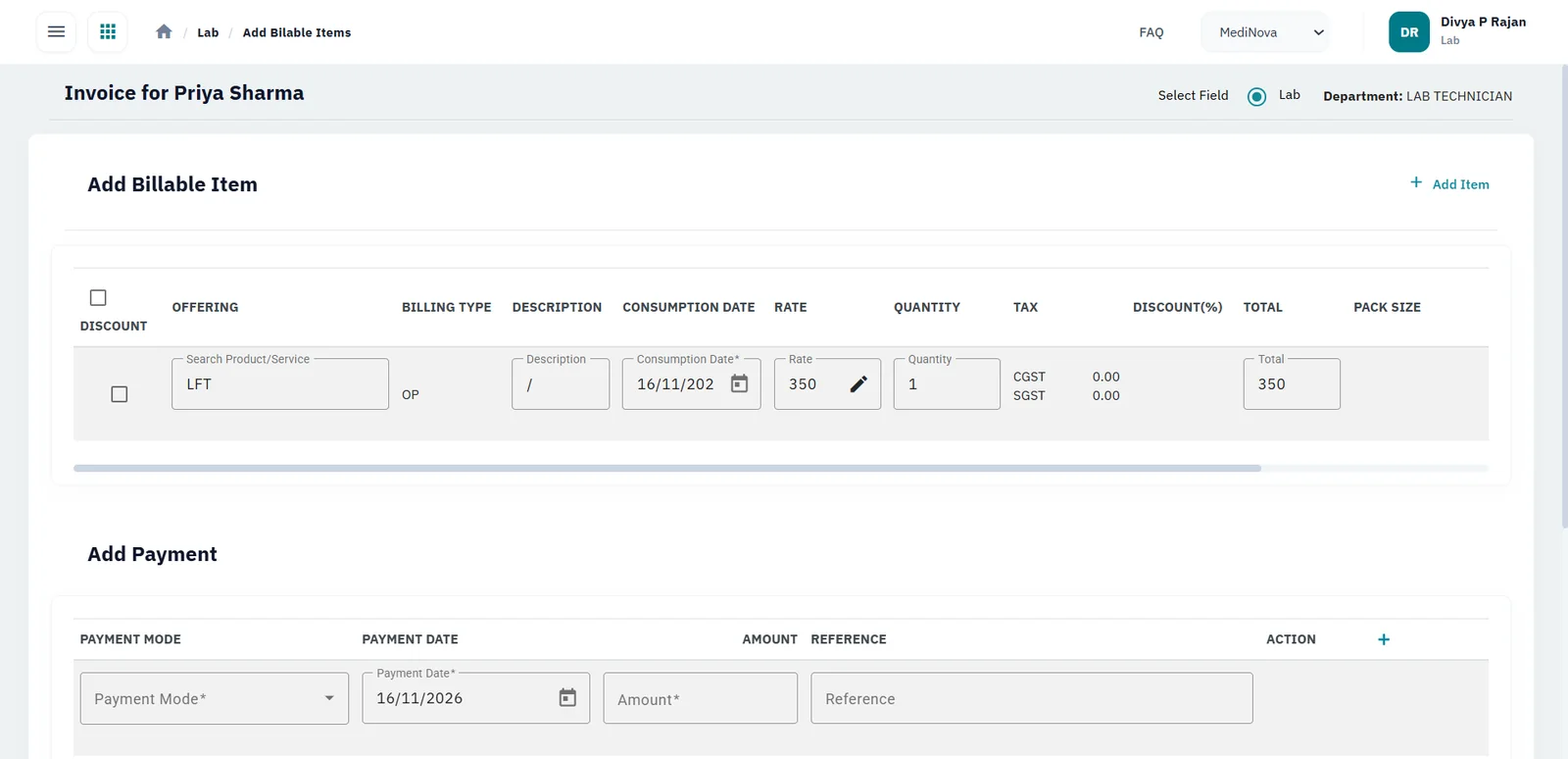
Billing at the counter
Add billable tests and take payment on the same screen.
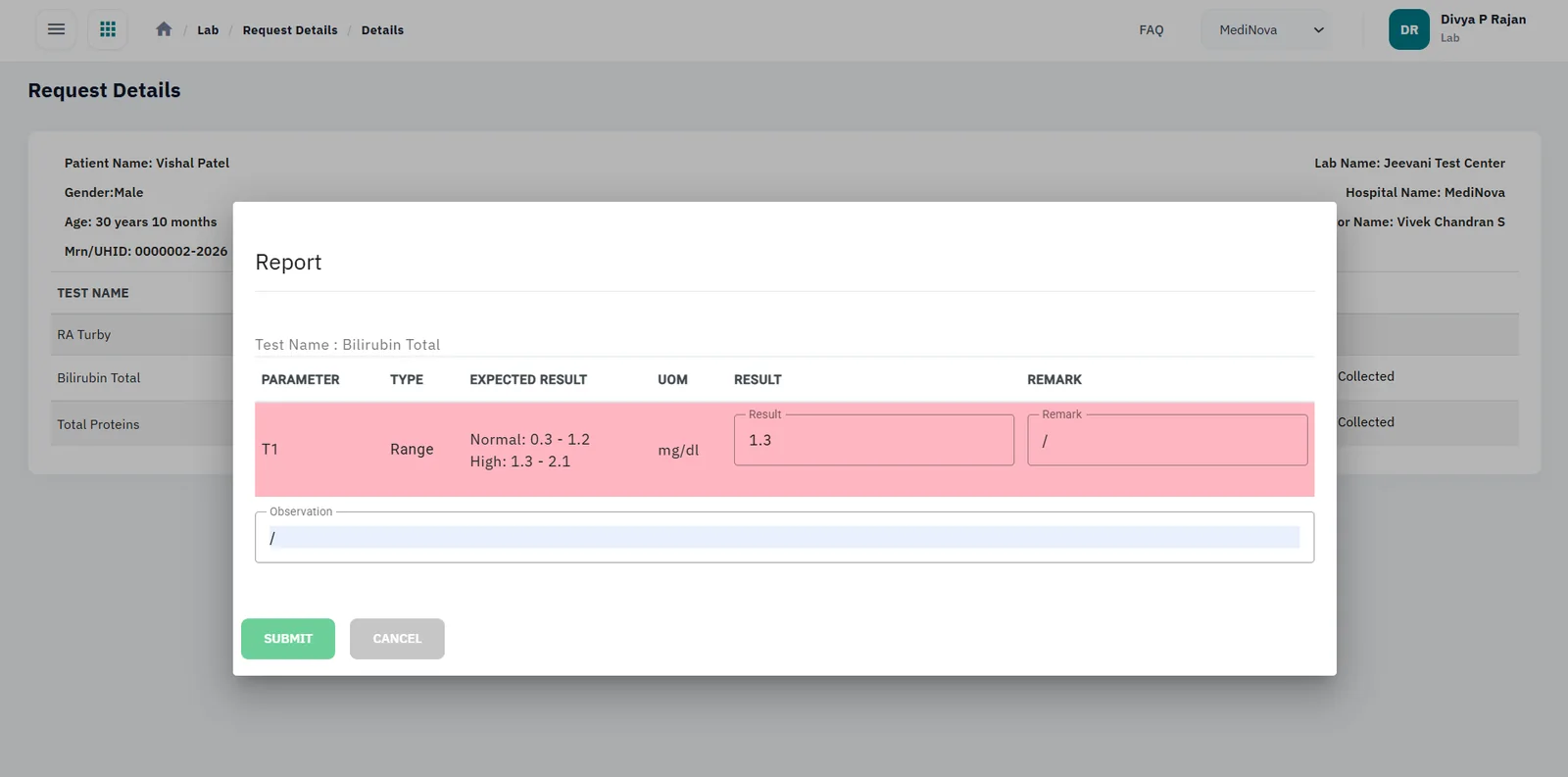
Results against reference ranges
Out-of-range results are highlighted as they are entered.
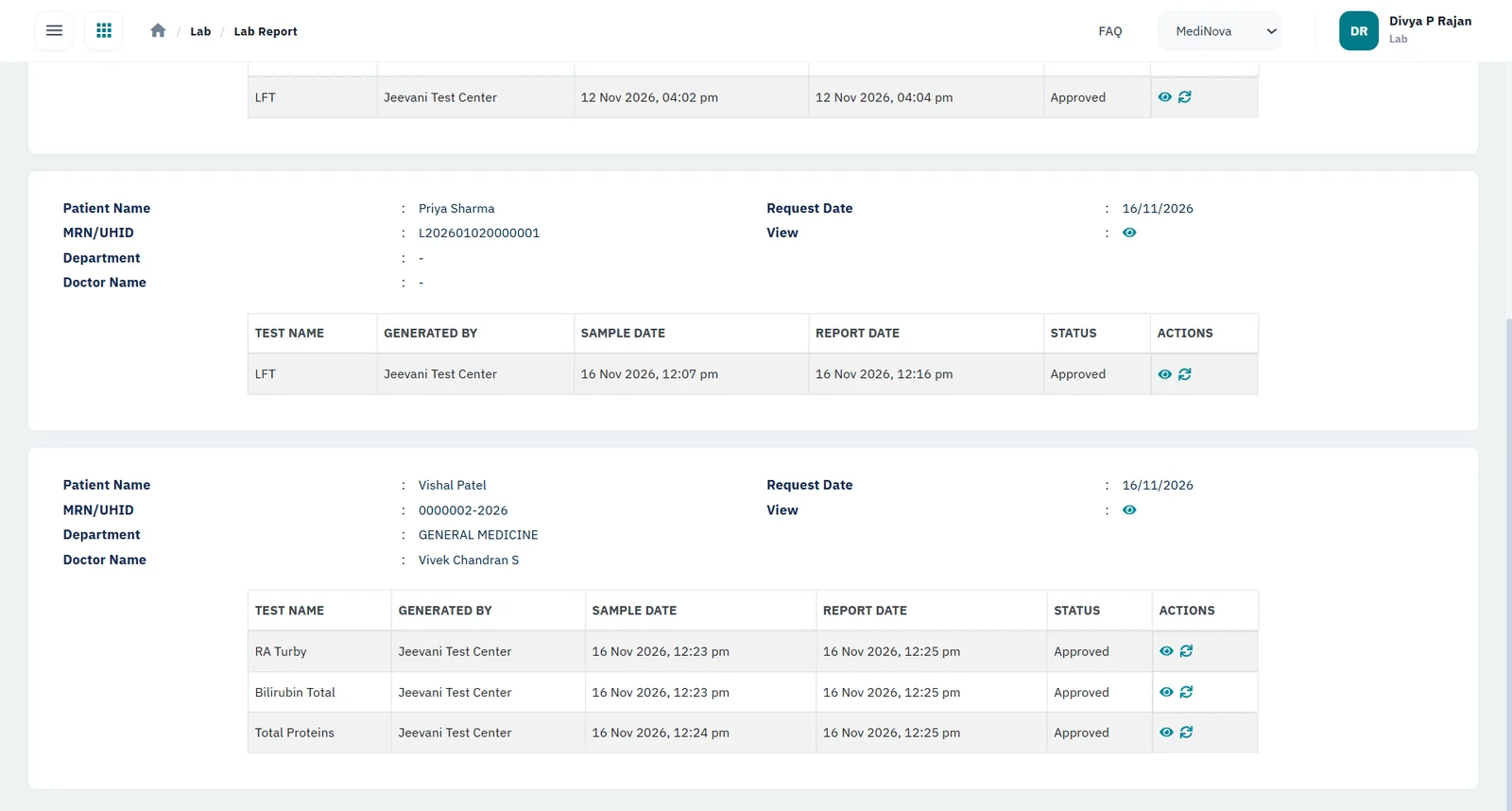
Approved reports
Each report is approved before it is released.
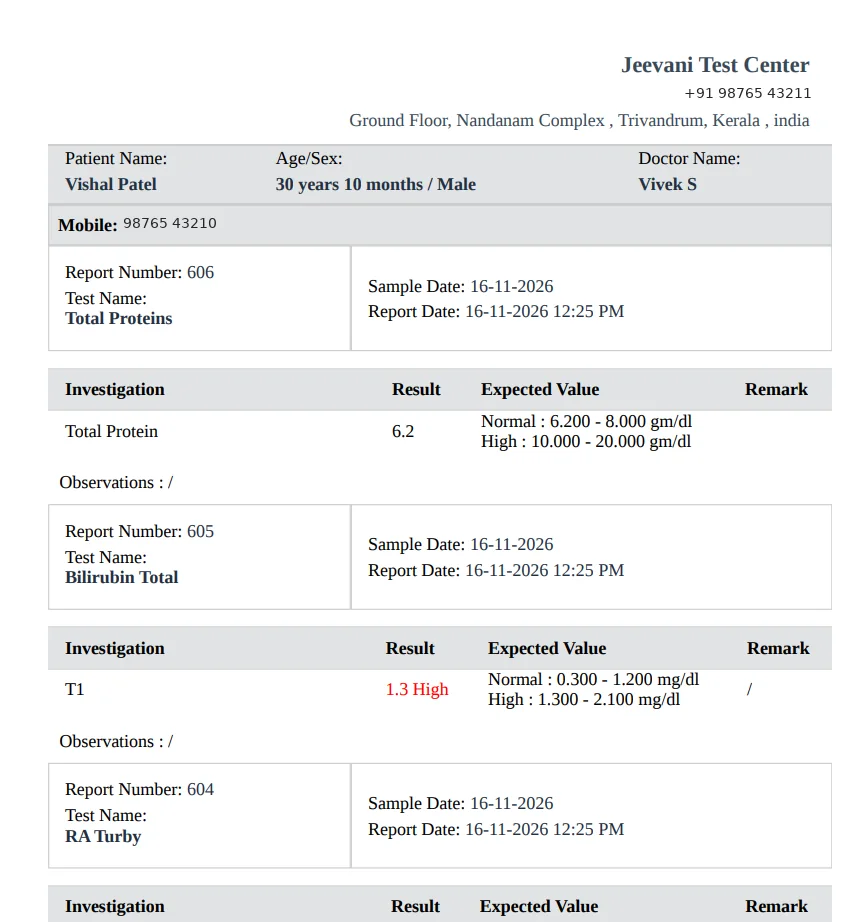
The printed report
Results, reference ranges and high values flagged in red.
From test request to approved report
Select a step to see what happens
1. Request
Doctors send test requests from the consultation to the laboratory they choose. Walk-in patients are registered and billed at the counter from your own test menu and prices.
- Doctor referral
- Walk-in at the counter
- Your own prices
2. Sample collection
Each sample is labelled with a barcode at collection, so it stays matched to the right patient and test.
- Barcode per sample
- No mix-ups
3. Testing
Results come in from your integrated analysers. Each test has its own parameters with normal, borderline and high ranges, set for everyone or by age and gender.
- Analyser integration
- Normal / borderline / high
- Ranges by age and gender
4. Approval
If your lab requires approval, every report is approved or rejected before release. A rejected report goes back for a redo or a fresh sample.
- Approve
- Reject and redo
- Request fresh sample
5. Release
The approved report appears in the HEAL patient app automatically and is sent to the patient on WhatsApp and by email, with an SMS update. The doctor gets it by email.
- Patient app
- ABHA linking
- Email and SMS
Lab reports linked to ABHA, automatically
HEAL is integrated with ABDM. Once your hospital switches on ABDM linking:
- Each approved report is linked to the patient’s ABHA address automatically, with no extra step
- Patients can share it with other doctors and hospitals through consent-based sharing
What changes for your team
Lab technicians
Stop retyping results and matching handwritten labels.
Pathologists
Review and sign off reports in one queue, and send back anything that needs a redo.
Front desk staff
Register walk-ins and bill from the same screen, and field fewer “is my report ready?” calls.
Doctors
See each result as soon as it is released, in the patient’s medical record and in their inbound report queue, without waiting for the next consultation.
Patients
Get the report on WhatsApp, in the patient app and in their ABHA record.
Questions buyers ask
Can HEAL connect to our lab analysers?
Yes. HEAL integrates with laboratory analysers. Bring your make and model list to the demo and we’ll walk through the set-up.
Are lab reports linked to the patient’s ABHA?
Yes. Approved reports are linked automatically for patients with an ABHA address, once your hospital switches on ABDM linking. HEAL is integrated with ABDM milestones M1, M2 and M3.
Do patients get their lab results on WhatsApp?
Yes. Approved reports are sent to the patient on WhatsApp, as well as by email and in the HEAL patient app.
Can we set reference ranges by age and gender?
Yes. Each parameter can have normal, borderline and high ranges, set for all patients or separately by age and gender.
Can a pathologist approve reports before they are released?
Yes. With approval turned on, reports reach patients and doctors only after sign-off. Rejected reports go back for a redo or a fresh sample.
We’re a standalone diagnostic centre. Can we use just the lab module?
Yes. Each HEAL module works on its own, and walk-in patients are handled at the counter. It also connects to your existing LIMS or hospital system if you have one.
How is it priced?
By the modules you choose, the number of sites, integrations, and any data migration and training. Book a demo and we’ll prepare a quote.
Connected HEAL modules
Patient app
Reports, prescriptions, invoices and appointments in the patient’s pocket.
Learn moreRadiology
Imaging requests in one queue, PACS and DICOM integration, and outsourced scans tracked.
Learn moreInventory
GST-ready pricing, POs, GRNs, barcodes and expiry alerts across departments and warehouses.
Learn moreIntegrations
ABDM (M1, M2, M3) and connections to the systems you already run.
Learn moreSecurity & compliance
How HEAL protects patient data: ISO/IEC 27001:2022 and ABDM consent.
Learn morePricing
How HEAL is priced: by modules, doctors and sites, integrations, migration and training.
Learn moreABDM incentive (DHIS)
Labs earn ₹10 for each Diagnostic Report linked to a patient’s KYC-verified ABHA, above 100 a month, under the current DHIS rules (from 1 October 2026).
See HEAL in action
Book a walkthrough with our team and bring your questions on setup, integrations and data security.
